
Welcome to the LIFE AU LAIT Vendor Hub.
This guide will show you how to safely refresh and update your LIFE AU LAIT stall using simple visual editing tools.
No web design or technical experience needed 🙂
BEFORE YOU START
SAFE TO EDIT
You may safely update:
✅ text
✅ photos
✅ image galleries
✅ video links
✅ social media links
✅ business information
PLEASE DO NOT EDIT
Please do NOT edit:
❌ buttons
❌ page layout
❌ columns or containers
❌ fonts or styling
❌ spacing settings
❌ page URLs/permalinks/slugs
❌ Elementor settings tabs
❌ advanced design settings
If you would like larger design changes, no problem — please contact LIFE AU LAIT directly.
STEP 1 — Open Your Stall
Open your favourite browser and go directly to your LIFE AU LAIT stall URL.
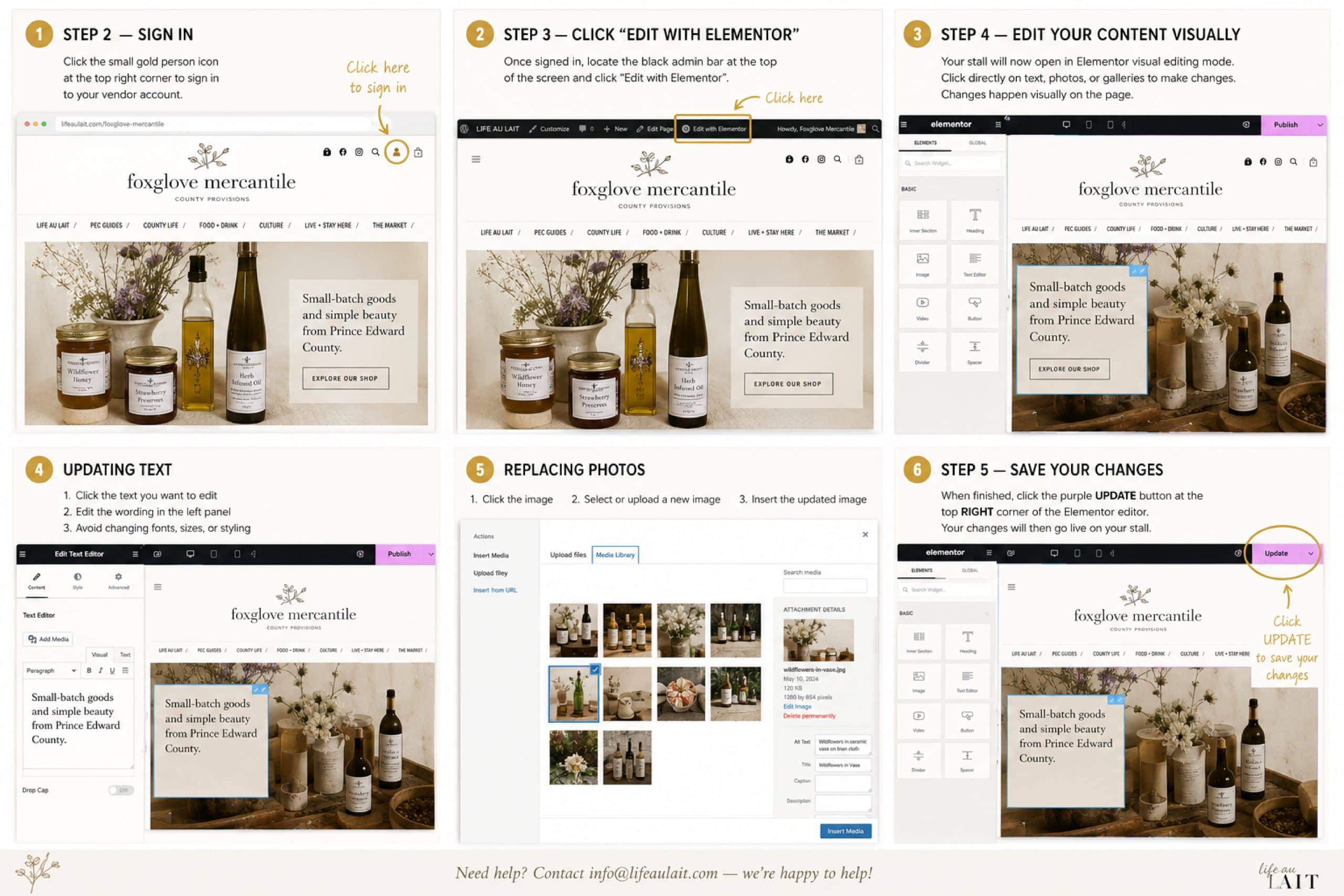
STEP 2 — Sign In
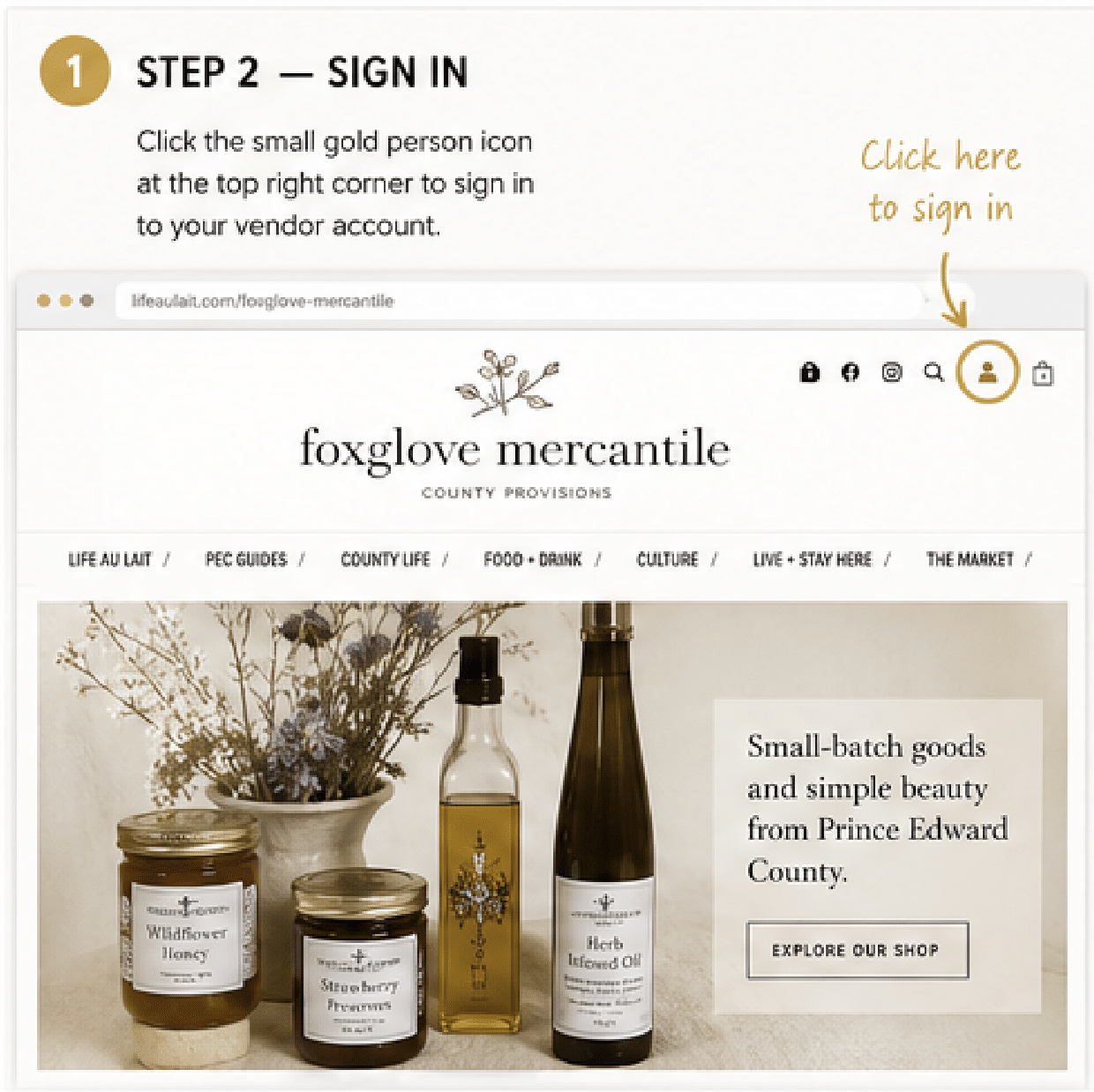
Click the small gold person icon at the top right corner of the page to sign in to your vendor account.
STEP 3 — Click “Edit with Elementor”
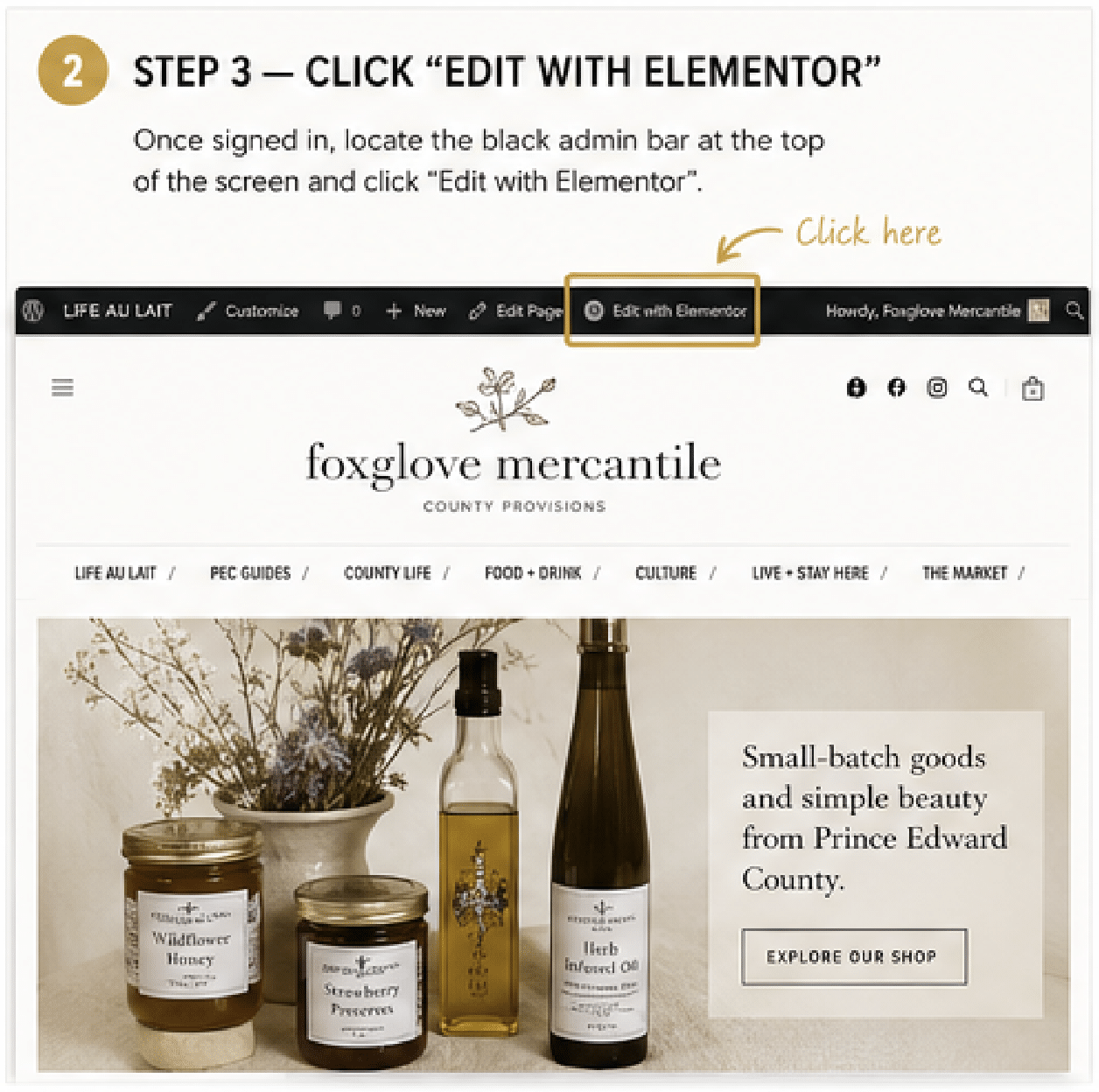
Once signed in, locate the black admin bar at the top of the screen and click:
Edit with Elementor
STEP 4 — Edit Your Content Visually
Your stall will now open in Elementor visual editing mode.
To edit:
- click directly on text to update wording
- click directly on photos to replace images
- click galleries to upload new images and update image selections
Changes happen visually on the page.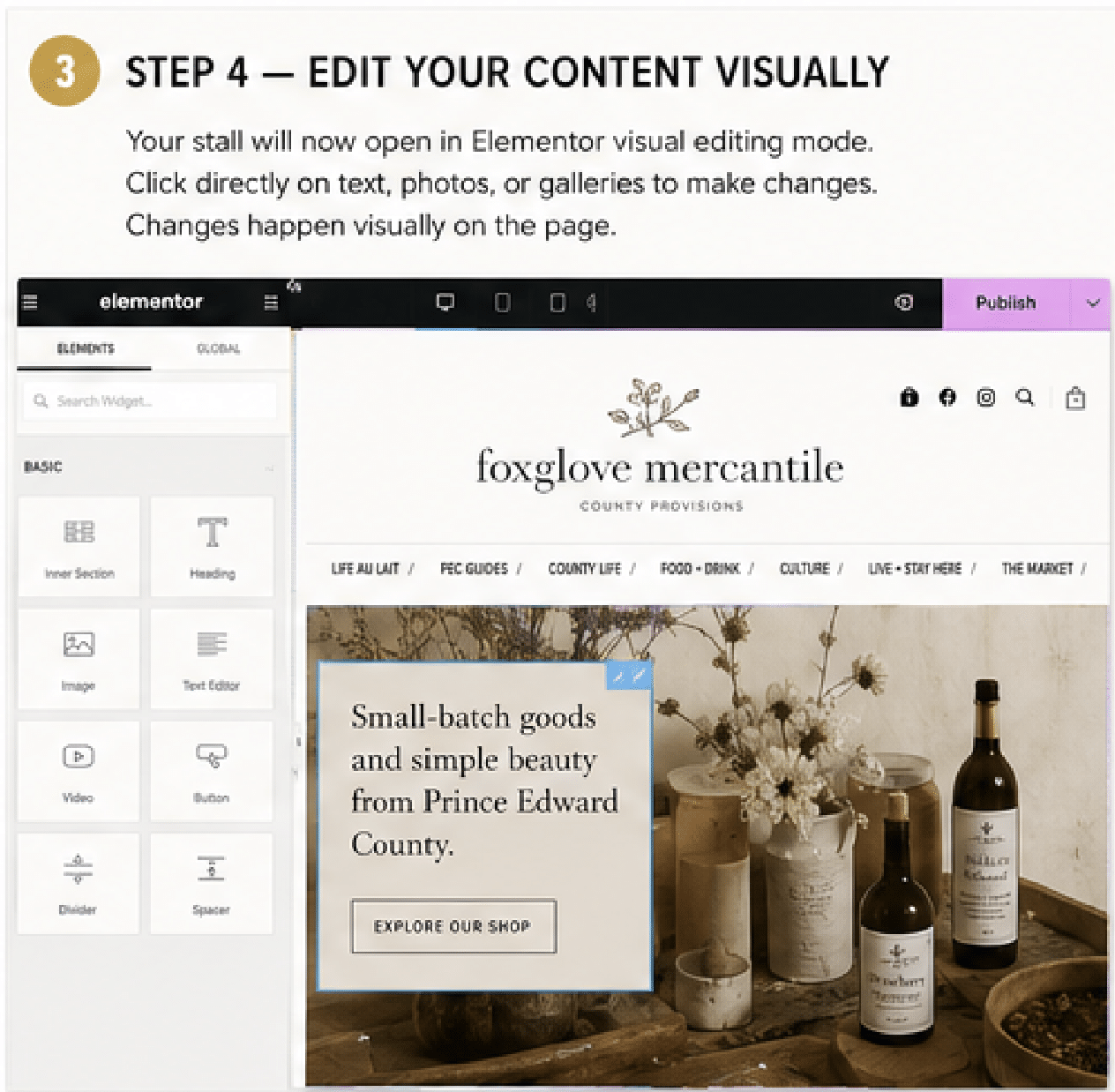
IMPORTANT EDITING TIPS
✅ Save your changes regularly as you work
✅ Make one section change at a time when possible
✅ Refresh your live stall occasionally to confirm updates are appearing properly
If something appears stuck or slow to save:
- wait a moment
- refresh carefully
- check your live stall page
- contact LIFE AU LAIT if needed
UPDATING TEXT
To update text:
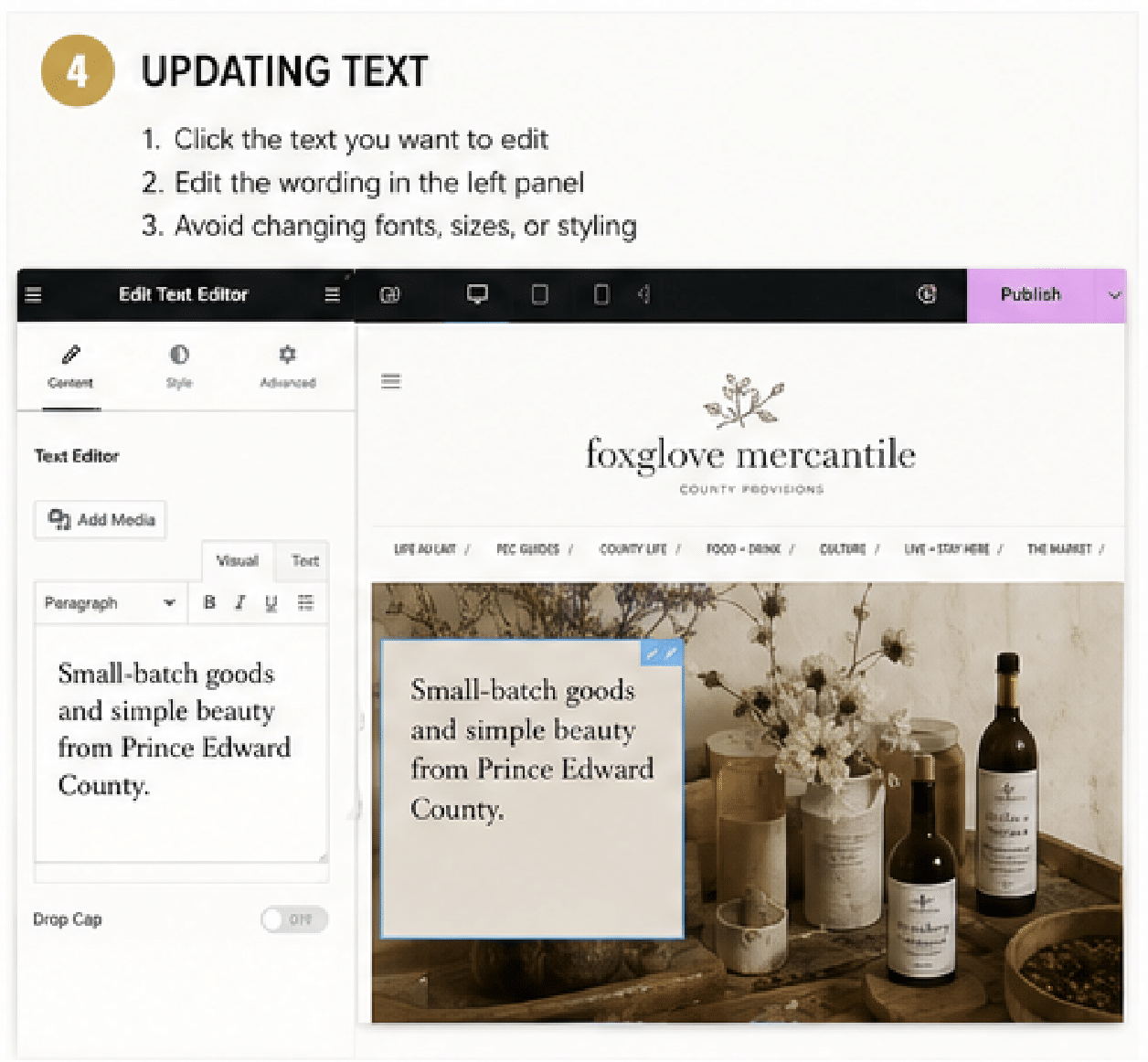
- Click the text you want to edit
- Edit the wording in the left panel
- Avoid changing fonts, sizes, or styling
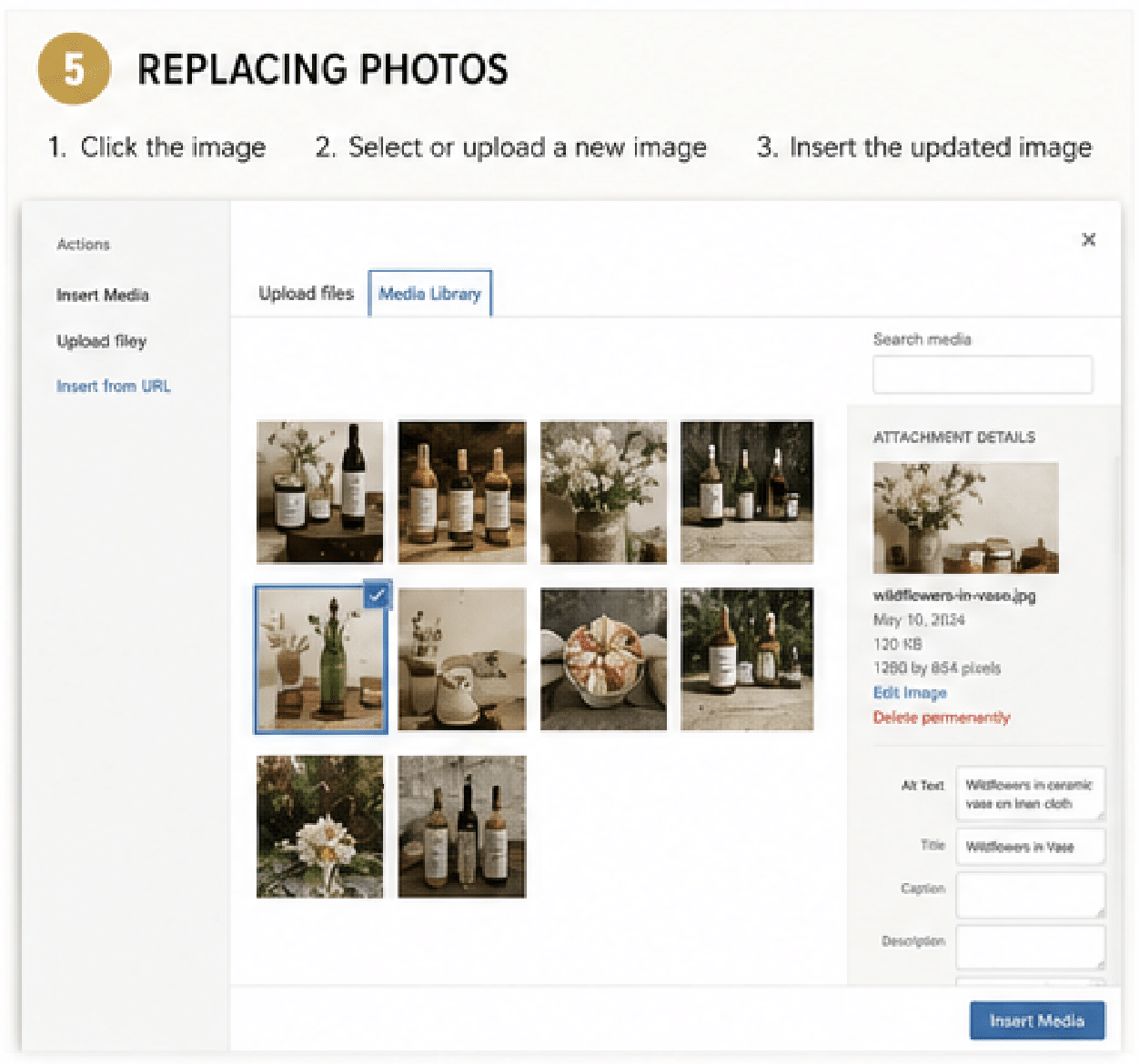
REPLACING PHOTOS
To replace a photo:
- Click the image
- Select or upload a new image
- Insert the updated image
Recommended:
- bright, clear photography
- landscape images when possible
- high-quality but web-sized files
- JPG or PNG format preferred
Recommended image size:
- approximately 1600px wide for larger images
- approximately 1200px wide for gallery images
Maximum upload size:
- 40MB per file
ADDING VIDEO
We recommend using:
- YouTube
- Vimeo
- Instagram Reels/posts
To add video:
- Upload your video to one of the platforms above
- Copy the video link
- Paste the link into the designated video field
Recommended video length:
- 15–60 seconds
- smooth movement
- good lighting
STEP 5 — SAVE YOUR CHANGES
When finished:
Click the purple:
UPDATE
button located at the top RIGHT corner of the Elementor editor.
Your changes will then go live on your stall.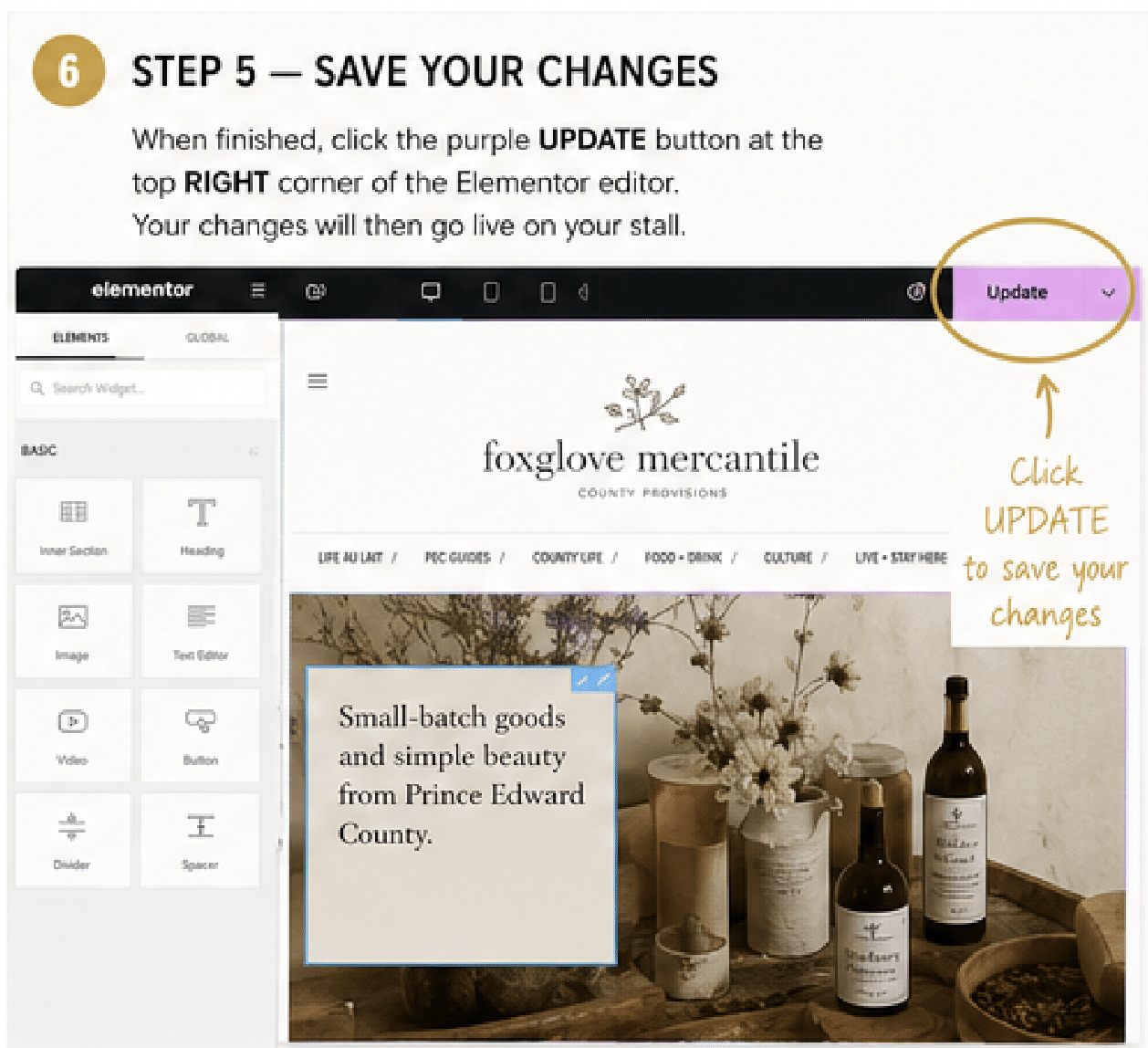
NEED HELP?
Need assistance refreshing your stall?
Contact:
We’re happy to help with:
- seasonal updates
- photography refreshes
- larger layout changes
- promotional features
- editorial upgrades
AND, FINALLY
Your LIFE AU LAIT stall is part of a curated editorial marketplace experience celebrating Prince Edward County’s food, drink, culture, stays, shopping, and all of our really amazing local businesses and the people behind them.
Thank you for being part of our LIFE AU LAIT community.
Related posts:
 “This Place Is Dead” —An Insider’s Guide to Why You Want To Spend This February in PEC
 EVENTS | THIS PLACE IS DEAD—AN INSIDER’S GUIDE TO FEBRUARY IN PEC
 To Infinite Horizons & Endless Summers | The Quick Guide To Prince Edward County Beaches
 Life in the Time of COVID-19 | A County Guide to Staying Safe & Preserving The Greatness of Here